How to add a sequence?
Adding Custom Sequences to Your Pedagogical Outline
If you wish to dedicate a sequence to a specific concept that isn't covered in your existing pedagogical outline, you can add sequences manually or generate them using AI. This flexibility allows you to address all necessary aspects of your educational program and structure information in a very focused manner.
To do this, go to your pedagogical outline:
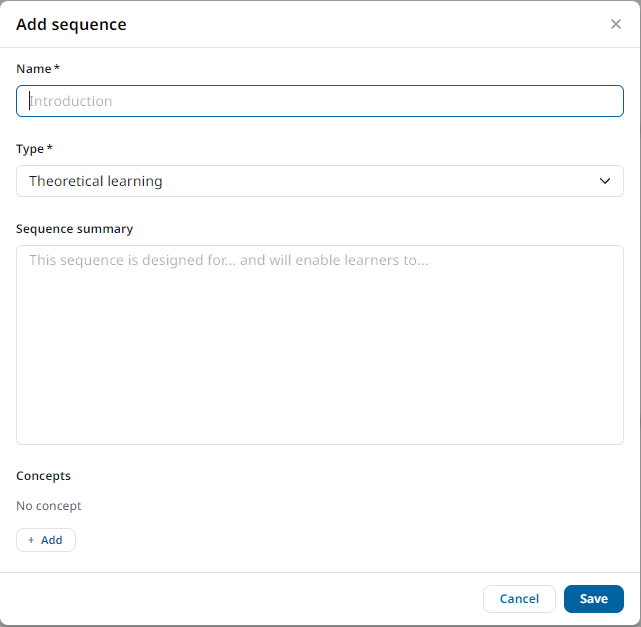
- Click on Add a sequence, then enter the name of your sequence, the type, the summary, and the concepts to cover in that sequence.
- The more precise your summary and relevant the concepts you provide, the more specific the generated content will be.
- You can continue generating sequences step by step to dive deeper into the identified topics without limits.
.
Generate Content for a Specific Sequence
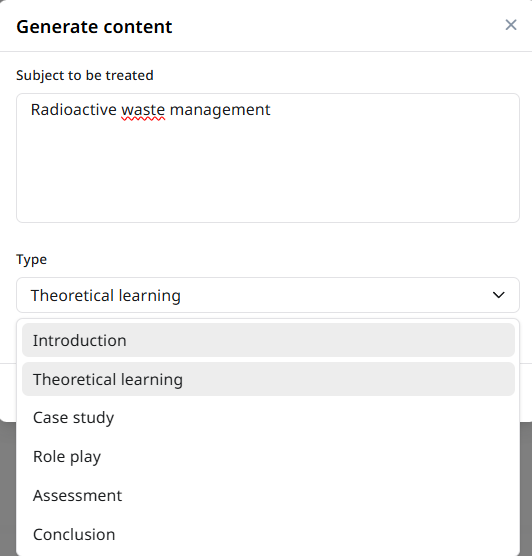
Click on Generate at the point where you wish to insert the new sequence. Indicate the subject to be covered and the type of the sequence that you want to generate, and the AI will generate a title, a summary, and key concepts for you.
Then, go to the specific sequence and generate the course content using the AI.
This method allows you to quickly create focused and relevant content for the selected sequence.