
How to Check What Your Learners Will See?
The learner preview is an essential tool that allows course designers to ensure that the content they have created will be presented optimally to learners. Before making the course available to your students, you can see exactly what they will experience, allowing you to make necessary adjustments to the content and structure.
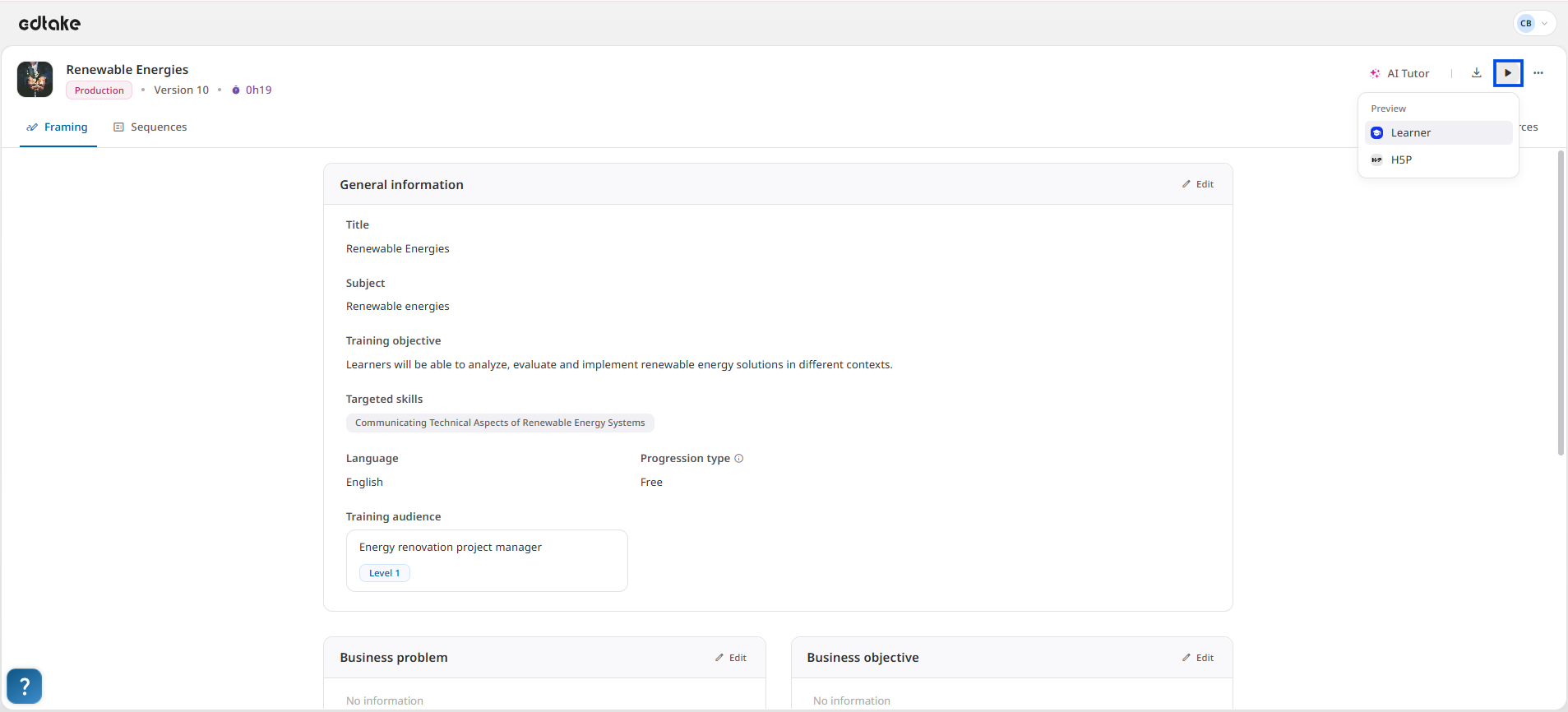
Based on the edtake Structure
The learner preview relies on the edtake structure, which differs from the H5P structure. While H5P is a more generic solution for interactive content, edtake is specifically designed to provide a user experience tailored for learning paths. The edtake structure ensures that all content elements are organized in a smooth and coherent way, guaranteeing intuitive navigation for the learner.
Resource display mode
edtake offers two display modes for your resources, configurable from the settings:
- Single-page display: content is presented on a single vertical page.
- Slide-based display: content is shown block by block, in a horizontal format.
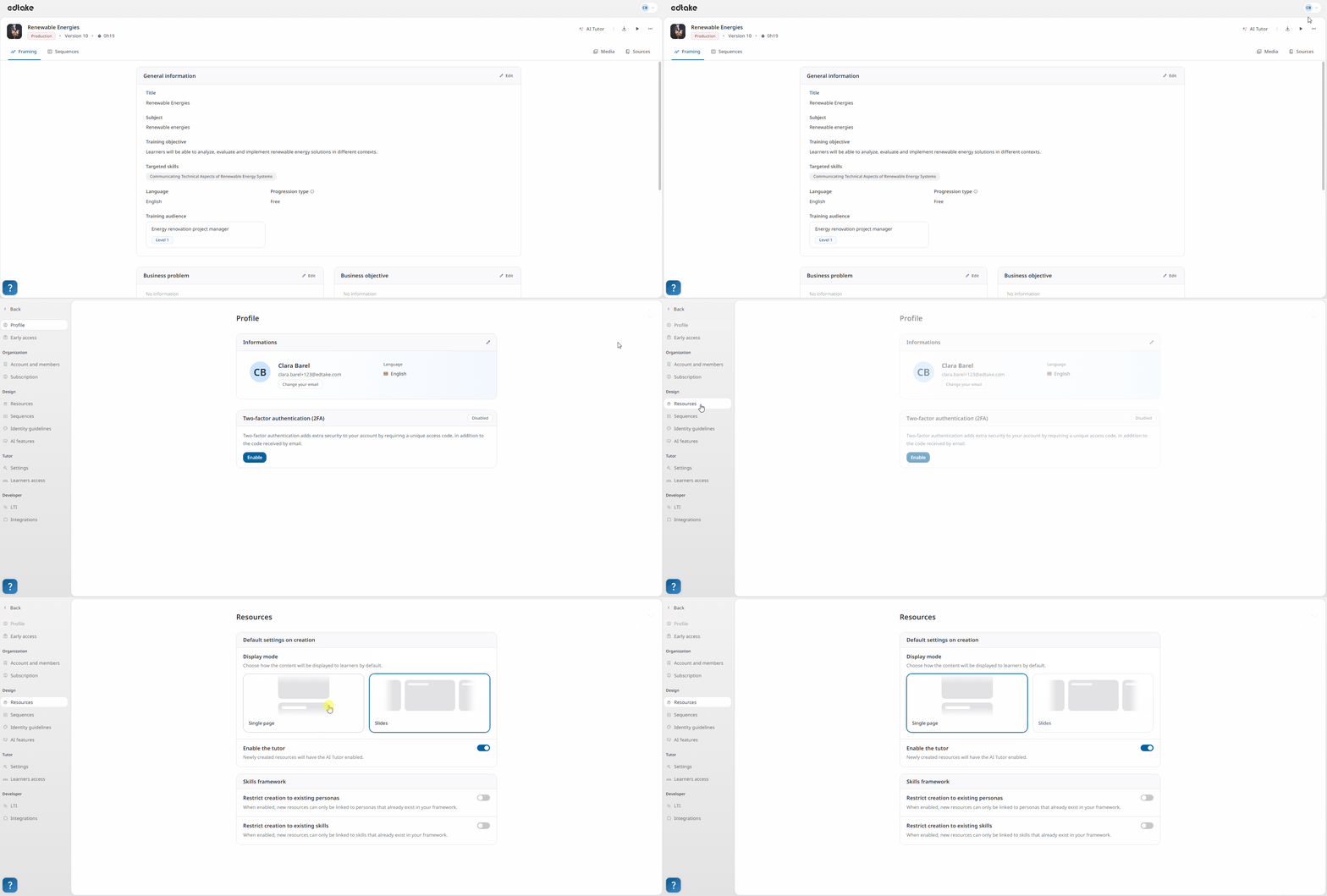
In slide mode:
- Each block corresponds to one slide.
- The sequence header is treated as a full slide, displaying the duration and the sequence typology. (It is possible to disable the header display at the module level from the Settings tab.)
- If a block’s content exceeds the screen height, the slide becomes scrollable.
- For assessment sequences, navigation occurs between each exercise separator.
- This setting is global to the organization and applies to all modules.
ℹ️ The selected display mode also impacts exports (especially SCORM), ensuring consistency between the learner experience and the distributed content.
Export to SCORM Format
Once you have previewed the content and made any necessary adjustments, you can export your content using the edtake structure in SCORM format. The SCORM format allows your course to be integrated into Learning Management Systems (LMS), enabling progress tracking of learners. This format is widely compatible with most LMS platforms, ensuring broad reach and efficient course management.
Mobile-Responsive Design for Learners
Another key feature of the learner preview is its mobile responsiveness. The content is designed to be accessible on any device, whether it’s a desktop, tablet, or smartphone. Learners can thus engage with the course flexibly, no matter where they are. Interactive elements, text, images, and videos automatically adjust to the screen size, providing a smooth and enjoyable experience on mobile.
Conclusion
The learner preview is a great way to ensure that your course meets the expectations and needs of learners. By relying on the edtake structure, you can check that the content is well-organized and accessible, with the ability to export it in SCORM format for use in an LMS. Additionally, the responsive design ensures that learners have a seamless experience, whether they are using a desktop or a mobile device. With these tools, you can create engaging and accessible courses for all your learners.