
How to create multiple versions of my resources?
Publish and Version Your Course
Once your sequence is complete, publish your course to lock in a Version. This allows you to iterate and create multiple versions of the same training.
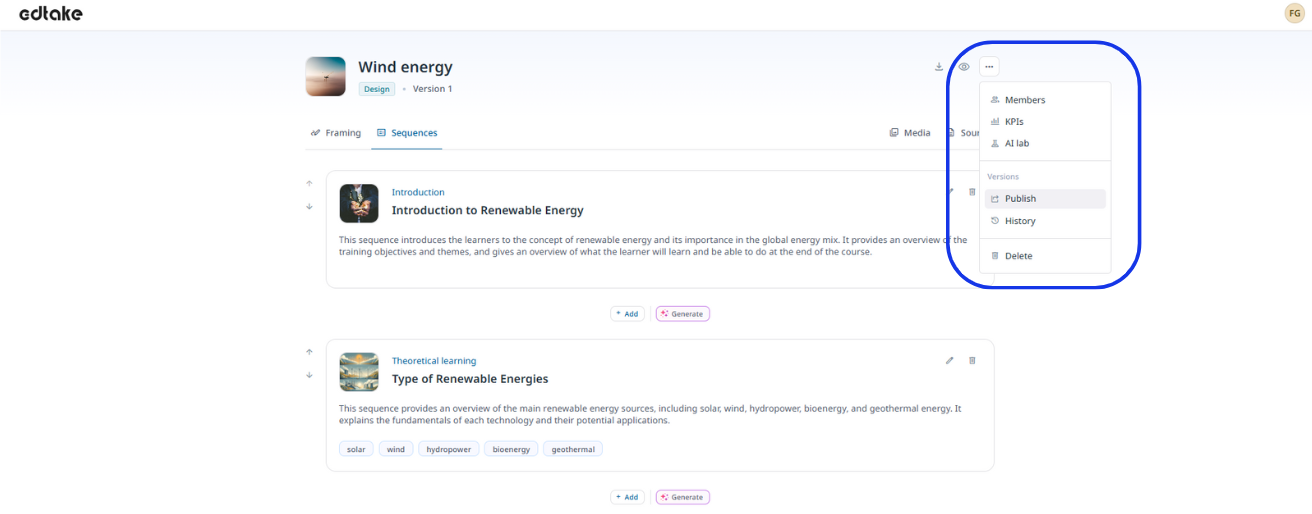
Click on the three dots at the top right of your resource, then select 'Publish'.
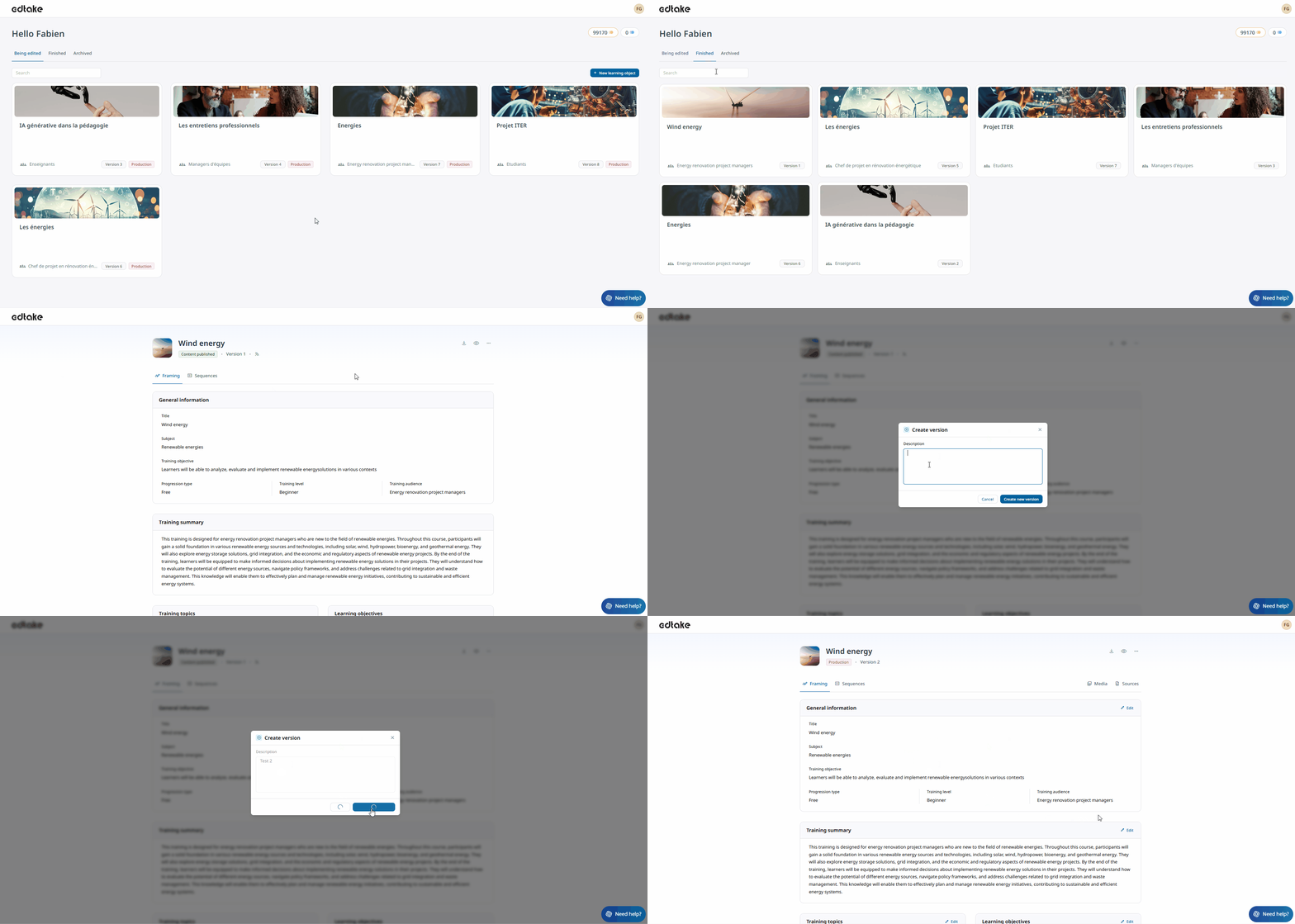
By clicking on the edtake logo at the top left of your workspace, you’ll access your dashboard.
There, you’ll find your resources currently being edited, your completed (versioned and active) resources, as well as archived ones.
To republish a resource, go to the “Completed” tab. You’ll then be able to create a new version identical to the original one, on which you can make further changes.
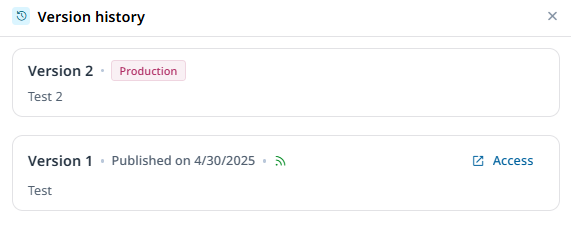
In your published versions, the "History" tab allows you to easily access the versions in design/production.
Good to know
- Once your module is versioned, the credit counter is automatically reset to zero.
- You can also check your key figures directly from a training module! To do so, click on the three dots at the top right of your module.