
The edtake AI Tutor
What is the AI Tutor?
The AI Tutor is edtake's second AI solution, designed for the learner experience. While the AI Copilot assists instructional designers in content production, the AI Tutor intervenes on the learner's side: it answers their questions, maintains their engagement over time, and accelerates operational implementation.
How does it work?
The AI Tutor is directly integrated into the training path, on the learner's LMS. It is anchored to the sources and content of the relevant module via LTI or Remote Scorm connection.
How to configure the edtake AI Tutor?
Step 1 — General space configuration
Go to the settings of your edtake space by clicking on your avatar in the top right, then on Settings. Then navigate to the TutorConfiguration
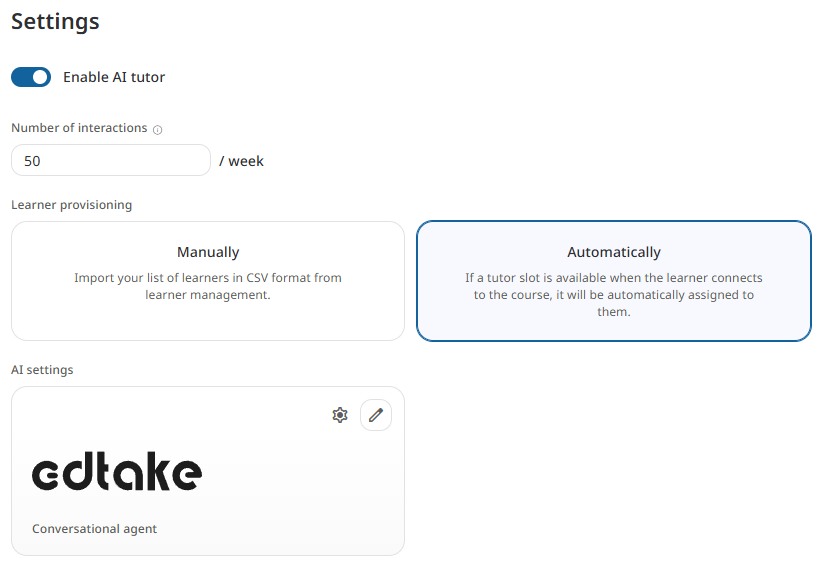
You can make the following settings there:
General activation: Activate the AI Tutor across your entire space. This is a prerequisite for any use by your learners.
Number of interactions per learner per week: Define a weekly quota of authorized exchanges per learner, to control usage and associated costs.
Learner provisioning mode
Two modes are available:
- Automatic — any learner who connects to a training course automatically has access to the AI Tutor.
- Manual — you import a CSV file to precisely select the list of learners authorized to use the tutor.
Conversational agent Select the language model that powers the AI Tutor (OpenAI, Anthropic, Mistral…) by entering your API key.
Learner Tab
The second tab Learner allows you to finely manage individual access: import your CSV and activate or deactivate the AI Tutor learner by learner.
Step 2 — Activation by module
Once the general configuration is complete, you can activate the AI Tutor at the level of each training module.
In your design space, click on the three dots next to the desired module, then on Settings. You can then:
- Enable or disable the AI Tutor on this specific module.
- Define the sources the tutor relies on to answer:
- The course only
- Sources associated with the module
- External sources
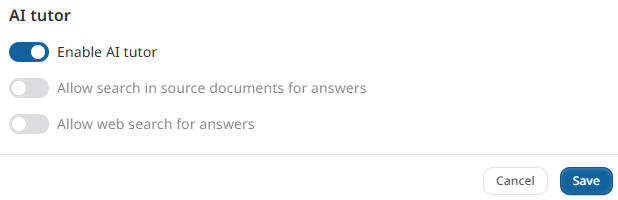
This granularity allows you to precisely control what the tutor can comment on, module by module.
Learner-side experience
On the learner's side, the AI Tutor appears as a chat bar that accompanies them throughout their training, directly within their LMS interface. They can ask questions at any time about the content they are currently viewing and receive an immediate, training-anchored response.
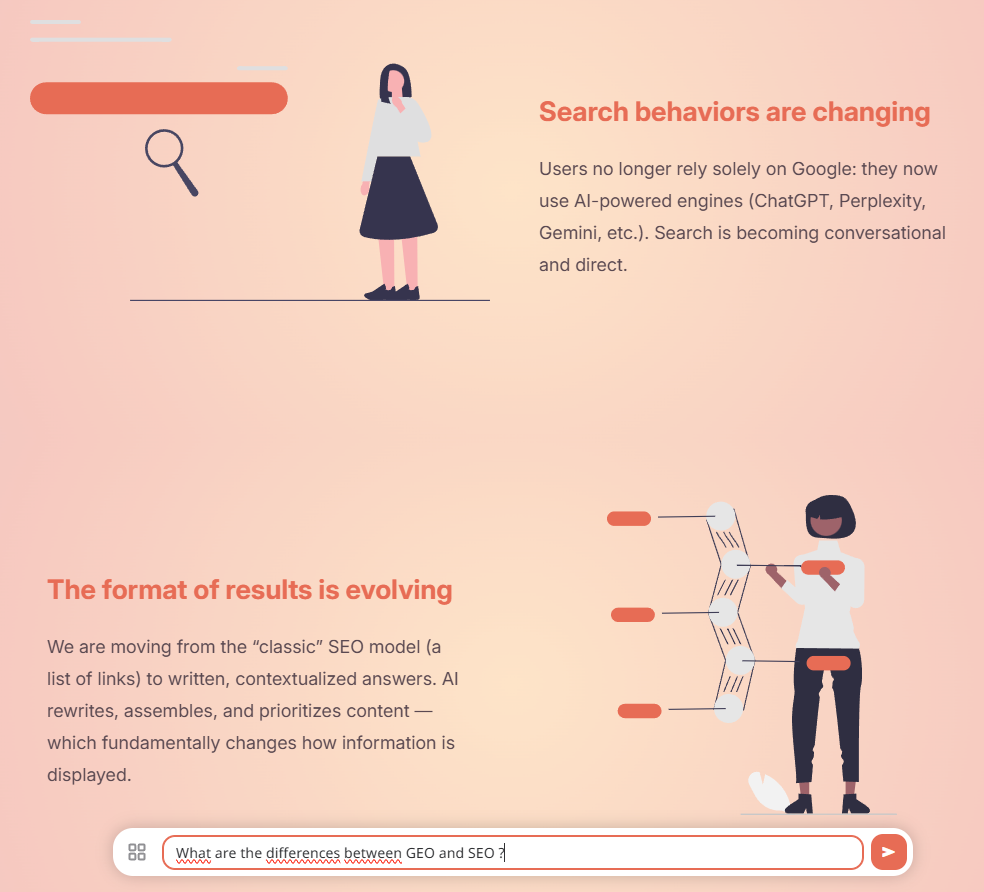
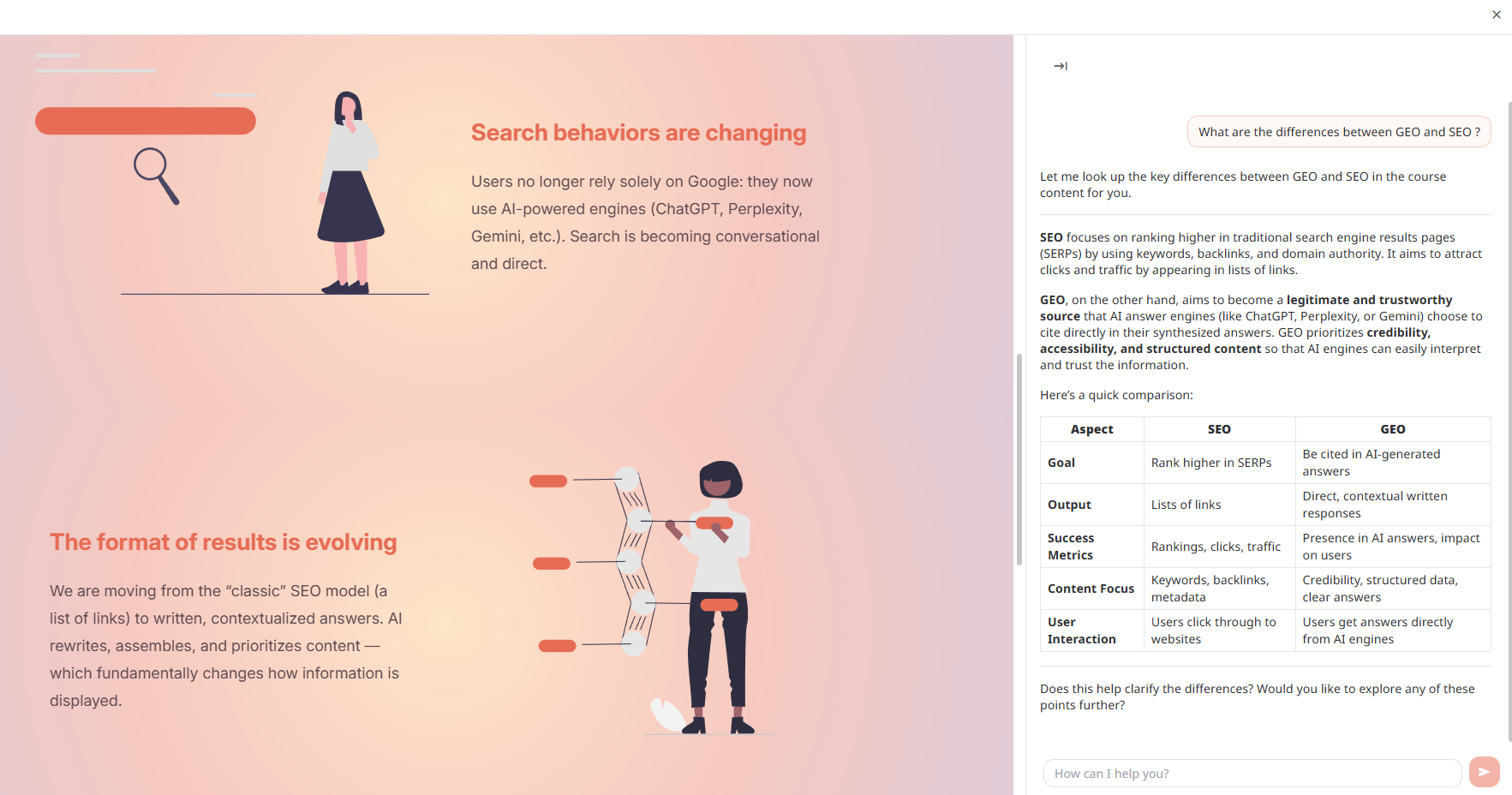
The chat bar is present on all pedagogical sequences, with the exception of evaluation sequences, to preserve the integrity of the results.
The AI Tutor thus allows answering the learner's questions 24/7.
Manage and analyze AI Tutor usage
The AI Tutor has a dedicated dashboard accessible from your edtake space. It allows you to monitor the tutor's activity and understand how your learners interact with it.
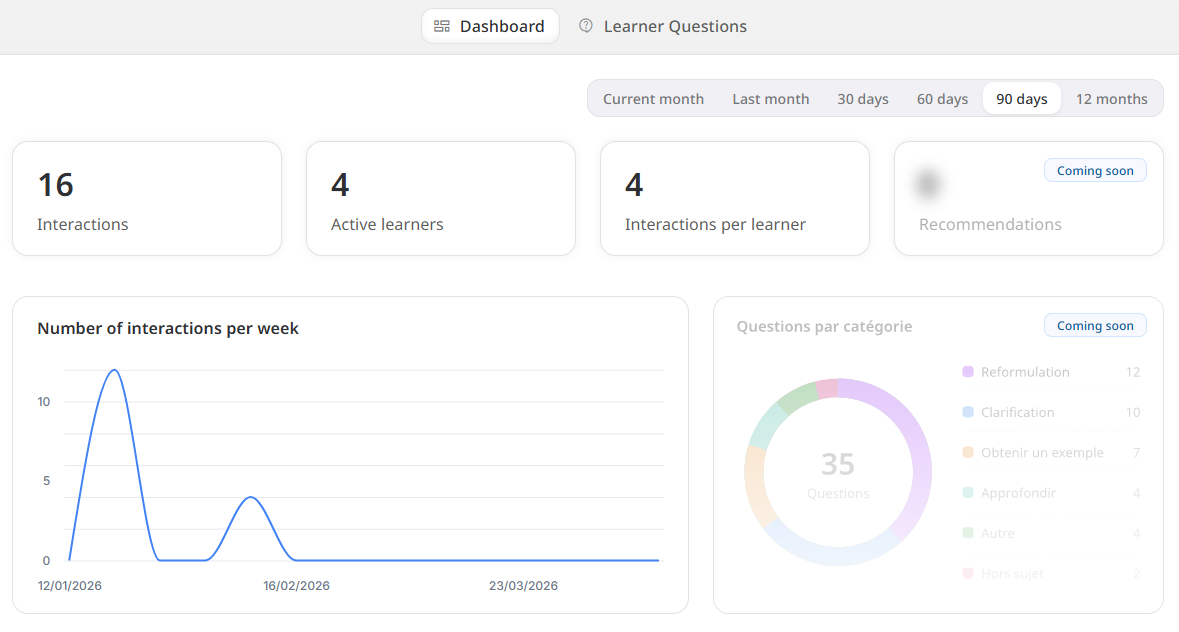
From the Tutor, tab, two views are available at the top of the page:
- Dashboard — quantitative activity tracking
- Learner questions — viewing actual exchanges
Dashboard Tab
The dashboard displays three main metrics, filterable by period (current month, last month, 30 / 60 / 90 days, 12 months):
Indicator | What it measures |
|---|---|
Interactions | Total number of exchanges between learners and the tutor over the period |
Active learners | Number of learners who used the tutor at least once |
Interactions per learner | Average usage intensity per active learner |
Evolution over time
The Number of interactions per day chart gives you a chronological view of activity, useful for correlating usage peaks with your training highlights (session opening, before an evaluation, etc.).
Qualitative analysis of questions
The "Questions by Category" tab automatically categorizes questions asked by learners according to their nature:
- Rephrasing — the learner asks to rephrase a concept
- Clarification — the learner seeks to better understand a specific point
- Get an example — the learner wants a concrete illustration
- Deepen — the learner wants to go further on a topic
- Other — various questions related to the training
- Off-topic — questions the tutor did not answer (out of scope)
This categorization allows you to identify areas of friction in your content: if a large portion of questions relate to the clarification of the same module, it's a signal to rework that educational content.
Learner Questions Tab
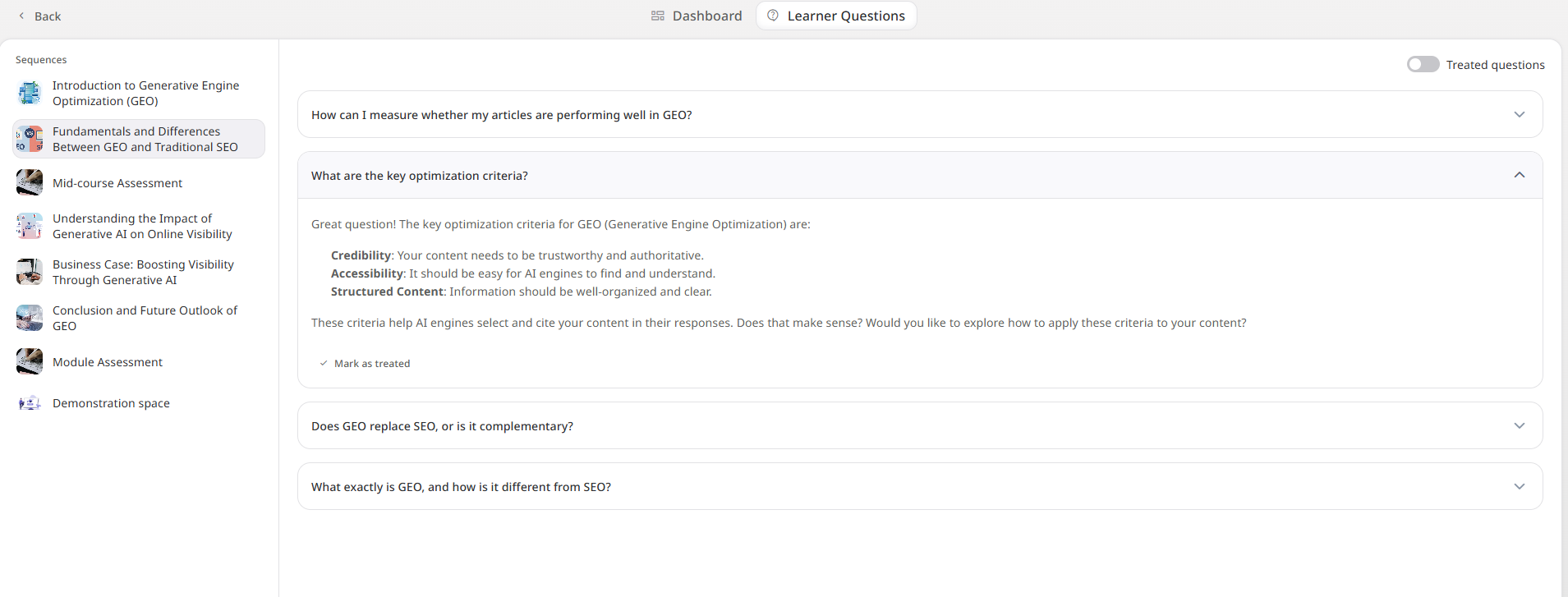
The Learner Questions tab references all exchanges that have taken place with the tutor per sequence. For each interaction, you will find the question asked by the learner, its automatic category, and the answer provided by the AI Tutor. This allows you to concretely review the exchanges, verify the relevance of the answers, and identify any adjustments to be made to your content or the tutor's configuration.
Typical Use Cases
Context | AI Tutor Contribution |
|---|---|
Autonomous e-learning training | Real-time response to blocking questions |
Certifying paths | Support on difficult points before evaluation |
Training large populations | Personalized tutoring at scale, without additional human resources |
Scenario-based learning | Anchoring content in the learner's real work context |
Frequently Asked Questions
Can I use my own contract with an AI provider? Yes. You connect your own API key. You retain control over the provider and the associated cost.
Does the AI Tutor answer questions outside the training topic? Yes, if you decide, you have the control to set the boundary where you wish. If the AI Tutor is framed by your pedagogical sources. If a question falls outside this scope, it does not answer.
Is it compatible with all LMS? The AI Tutor is integrated into the learner experience via the LMS that supports LTI 1.3 connection or Remote Scorm.